

What wall plates does PIXIE fit into? #
PIXIE smart dimmers, switches, and timer modules are a standard mechanism size for easy fitment into most Australian wall plates. Designed in Sydney, built for standard Australian wiring practice, and shipped with the caps and spacers needed for clean fitment across a wide range of common brands.
Designed for standard Australian wall plates. #
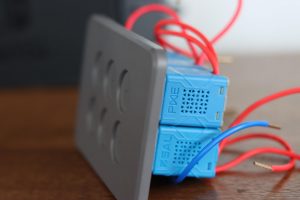
PIXIE was engineered around the standard mechanism aperture used by most Australian wall plate ranges, which means the same PIXIE module fits cleanly into the wall plates electricians already specify and stock. Each module ships with three interchangeable button caps to match the plate design, plus a silicone spacer for a smooth button action where required.
Mix and match dimmers, switches, and timers in the same plate to give every room exactly the control it needs.
How a PIXIE module fits, step by step. #
The short video below walks through how a PIXIE module locates into a standard Australian wall plate aperture, how the button caps swap to match the plate design, and how the faceplate snaps into place to finish the install.
Three steps. That is the whole install pattern. #
Once the wiring is in, the PIXIE fitment process is the same regardless of which brand of wall plate has been chosen. Three deliberate clicks, no specialist tools, no surprises.
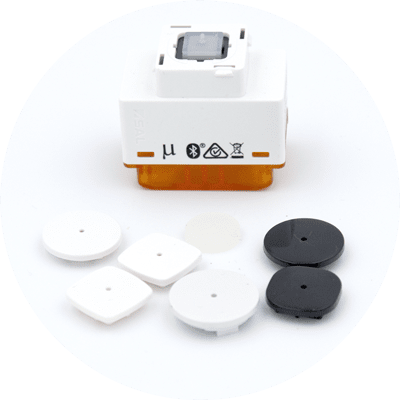
Click the button cap #
Click the button cap onto the PIXIE device to match your chosen wall plate design. The three most common button caps come free in every box.
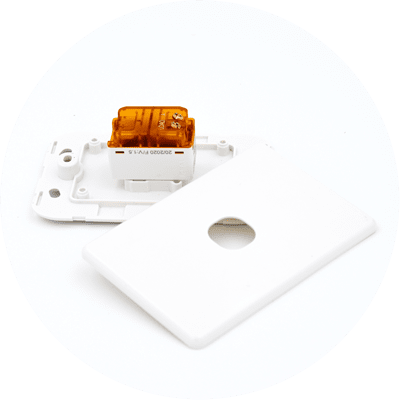
Clack into the plate #
Clack the module into the corresponding wall plate slots. Configure your plates exactly the way they will work best for the room layout.
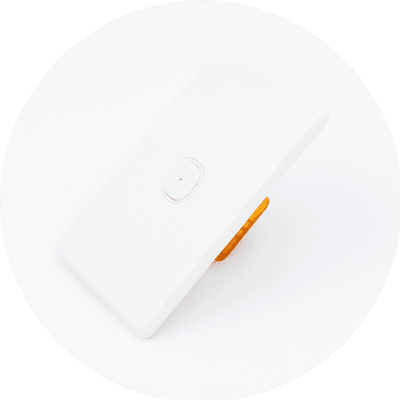
Snap on the faceplate #
Snap on the matching faceplate once affixed to the wall. Use as many different styles and colours as needed to match each room's design and decor.
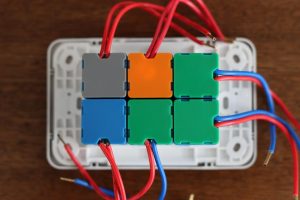
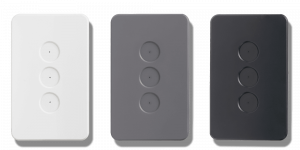
The PIXIE plate range. Three colours, six configurations. #
PIXIE Ambience is the dedicated PIXIE wall plate and faceplate range, designed end to end alongside the modules so the finish, the button action, and the alignment are all engineered together.
PIXIE Ambience wall plates and faceplates #
Available in three finishes and 1 to 6 gang configurations, designed to match the PIXIE module range and the wider Ambience family (Smart GPO, Touch Panel) for a consistent look across the home.
Matching styling. Across switches, GPOs, and the Touch Panel. #
The Ambience styling carries through the full PIXIE family. The Smart GPO front cover and the PIXIE Touch Panel both use the same finish language, so a wall with PIXIE Ambience plates lines up cleanly with the smart power point next to it and the Touch Panel down the hall.
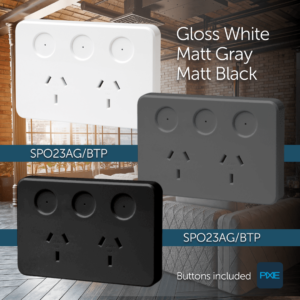
PIXIE Smart GPO (Smart Power Point) #
PIXIE Ambience matches the PIXIE Smart GPO front cover styling so the smart power point sits visually alongside the smart switches and dimmers in the same room.
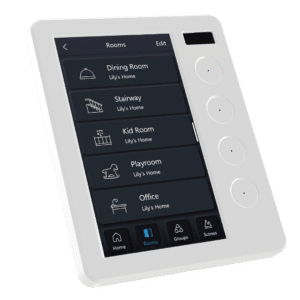
PIXIE Touch Panel (Ambience styling) #
The PIXIE Touch Panel features the same Ambience faceplate language, so the wall-mounted control hub matches the surrounding switches and faceplates instead of jumping out as a separate device.
Working with a specific wall plate brand? #
A few brands need a brand-specific note or a different fitment method. The quick references are below, with deeper brand-by-brand fitment notes in the next section.
PIXIE is compatible with ZETR™ #
A complete article covering ZETR™ compatibility, including a compatibility matrix and product images, lives on its own support page.
Read the ZETR™ compatibility article →Iconic™ fitment by arrangement #
Clipsal Iconic™ plates can be made to work with PIXIE through a couple of different methods. Get in touch and we will walk you through the right approach for your project.
Email us about Iconic™ →Prestige™ and other non-30mech plates #
For Prestige™ and any wall plate that does not accept a 30mech aperture, the BELL PRESS / BP inputs and outputs approach on PIXIE devices is the supported method.
Read the BP inputs guide →Brand-by-brand fitment notes. #
Some brands need a specific plate type or have particular configurations worth knowing before you order. Detailed notes are below, expandable per brand. Click any brand to open or close its detail.
Hager™ PIXIE works with Hager. HYBRID grid plates only. Three ranges: Silhouette, Allure, Finesse. ▾
Datasheets, brochures, and the rest of the range. #
Everything you need to specify, install, and finish a PIXIE wall plate install, in one place.