

RippleShield and Human Centric Lighting The complete guide #
Two of PIXIE's most distinctive capabilities. RippleShield is the matched system that permanently eliminates LED downlight flickering. Human Centric Lighting (HCL) is automated colour-temperature control that supports your clients' health, mood, and sleep quality. Whether you are troubleshooting a flickering job or specifying a premium lighting outcome, this is the reference.

Primarily written for electricians, PIXIE Partners, and PIXIE Certified Installers. Homeowners experiencing LED flickering will also find the diagnostic and product sections useful.
Why LED downlights flicker. #
LED flickering is one of the most common and frustrating complaints on lighting jobs. Before specifying a fix, it is worth understanding what is actually causing the problem, because the cause determines the correct solution. There are three distinct causes, and they require different approaches.
Ripple injection NSW & QLD #
Electricity network operators in NSW and QLD use a system branded Zellweger to inject a tone into the power supply (750 to 1050 Hz range) to remotely activate residential off-peak hot water systems. When that tone hits a dimmed LED circuit, the LEDs respond visibly. Research at the University of Wollongong has confirmed ripple control as the primary driver of this LED flicker phenomenon in affected NSW and QLD areas.
Dimmer-light incompatibility #
Standard trailing-edge dimmers were not designed with specific LED loads in mind, and not all combinations are stable at low dim levels. A load bypass capacitor can sometimes resolve this, but success varies. The most reliable fix is a matched dimmer and light combination.
Off-grid and solar inverters #
Homes running on solar inverters or off-grid power systems can experience "electrical artefacts": signals introduced by the inverter that standard LED dimmers cannot handle cleanly. The result is similar to ripple injection. RippleShield eliminates this category of flicker too, making it valuable for off-grid and solar-heavy markets.
Ripple injection flickering is not a defect in the downlights or the dimmer. It is a system-level compatibility issue between standard LED dimming circuits and the electricity network. Replacing the lights alone, or the dimmer alone, will not reliably fix it. Phase-dimming LED lamps (screw-base or bayonet globes in pendant or table lamp fittings) can exhibit a similar response, but the downlight dimming circuit is typically where the effect is most pronounced and most reliably fixed with a matched system.
Three questions, three outcomes. #

What flicker actually looks like. #
The animation shows the difference between a standard dimmer affected by ripple injection (visible flicker) and a RippleShield matched system (steady output). On site, the effect is most obvious at lower dim levels and at predictable times of day.
What is RippleShield? #
RippleShield is PIXIE's matched dimmer-and-downlight system, engineered to permanently eliminate LED downlight flickering caused by ripple injection and off-grid electrical artefacts. It was previously marketed under the name SFI (SAL Flicker Immunity). The technology is identical; only the name has changed.
Products previously labelled /SFI are now labelled /RS. The dimmer was SDD400SFI; it is now SDD400RSBTAM. All SFI-labelled stock in the field is fully compatible with the RS dimmer. Part numbers on your quotes and orders should use the RS suffix going forward.
Why it must be a matched system #
There is no universal fix for ripple-induced LED flickering. Line filters have variable success rates and can be expensive to install. Replacing the dimmer alone rarely solves the problem. Replacing the lights alone never does.
RippleShield works because the dimmer and the downlight are designed and tested together as a system. The RS-designated downlights use remote drivers with a flex and plug connection, meaning they can be swapped out on an existing plug base installation as a simple plug-and-play fix. The SDD400RSBTAM dimmer installs just like any standard 2-wire trailing-edge dimmer; no neutral required, no special cabling.
RippleShield delivers six concrete outcomes. #
- Permanent elimination of ripple injection flicker (NSW/QLD)
- Elimination of off-grid and solar inverter flickering artefacts
- Smooth, flicker-free dimming all the way to 1%
- Soft start and soft stop, no harsh flash on activation
- Standard 2-wire install, your existing skills and tools
- Optional PIXIE smart home control, not required for the flicker fix
SDD400RSBTAM The heart of the RippleShield system. #
Trailing-edge 2-wire dimmer. Installs exactly like a standard dimmer with no neutral wire required. Compact enough to fit in up to 6-gang wall configurations. Compatible with most standard Australian wall plates and PIXIE Ambience plates.
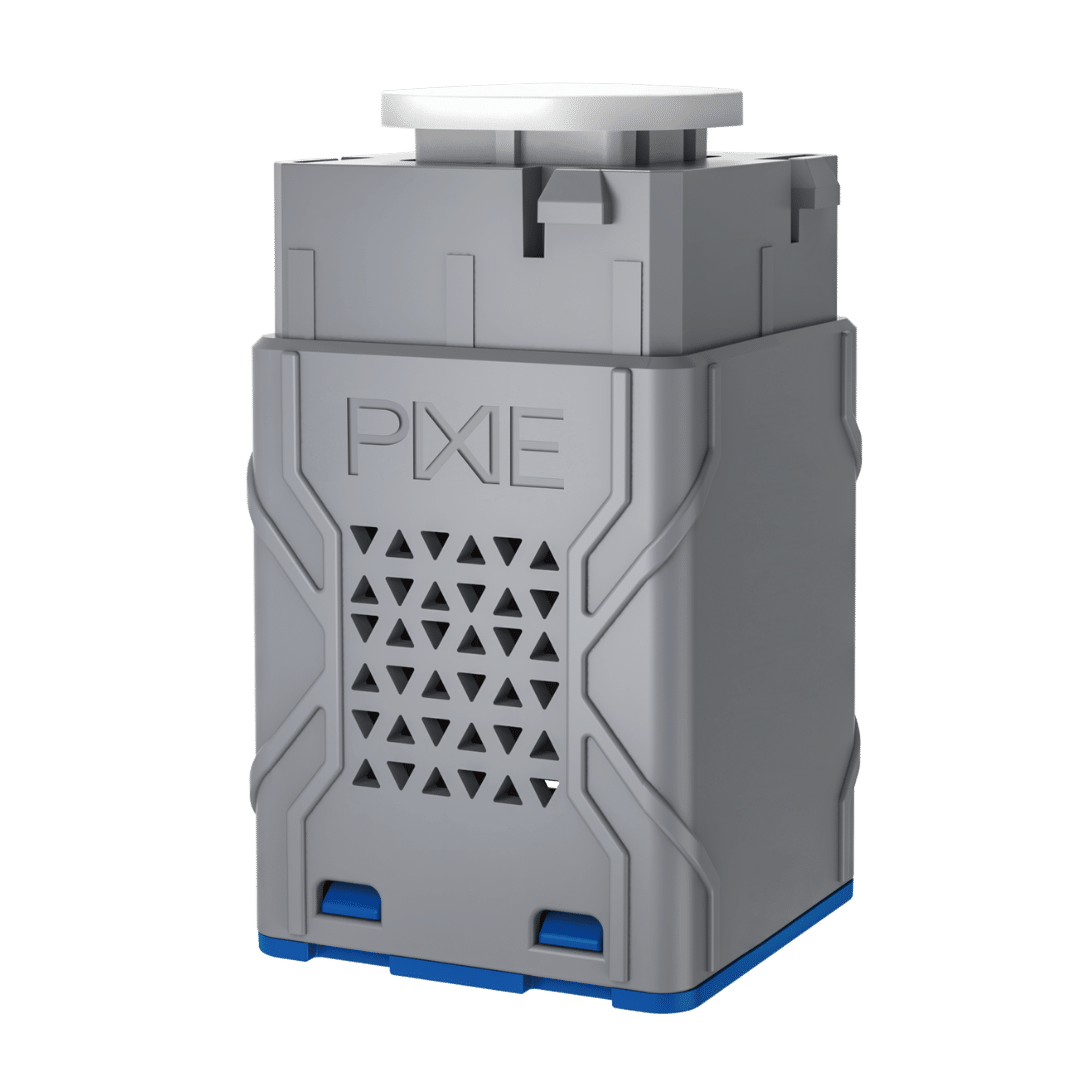
RippleShield Dimmer #
| Wiring type | Trailing edge, 2-wire (no neutral) |
| Maximum load | 150VA |
| Maximum lights | 15 lights per dimmer |
| Minimum load per light | 2W minimum |
| Dimming range | Smooth to 1%, no deadband |
| Dimming behaviour | Soft start / soft stop standard |
| Smart home | Bluetooth mesh, PIXIE Master device |
| Standalone operation | Single press on/off; press & hold to dim |
| Form factor | Compact, suits up to 6-gang plates |
| App control | PIXIE or PIXIE PLUS app (free) |
| PIXIE system required? | No, operates as standard dimmer |
When installing the SDD400RSBTAM, every light on that circuit must be replaced with an RS-designated downlight, not just the ones that are visibly flickering. Mixing RS and non-RS downlights on the same dimmer circuit will not deliver RippleShield protection and can cause instability.
If the SDD400RSBTAM is connected to non-RS downlights, it will not operate as a dimmer. It will still switch on and off, but the dimming function requires RS-compatible light types to work correctly. The matched pairing is what makes the system work.
Multi-way dimming #
The SDD400RSBTAM supports multi-way switching and dimming configurations for stairwells, hallways, and open-plan areas with multiple switch points. Two wiring approaches are available depending on the existing cable run:
| Configuration | When to use |
|---|---|
| SMF/BTAS | Active + neutral configuration. Suited to installations where a neutral wire is accessible at the switch position. |
| S2W/BTAS | Switchwire (2-wire) configuration. Suited to standard 2-wire switch loop installations without a neutral at the switch. |
Contact your SAL Sales Representative or refer to the installation manual for wiring diagrams specific to each configuration.
RS-designated downlights. Multiple families, one matched system. #
RS-designated downlights are available across several PIXIE and SAL product families, covering a range of form factors, sizes, and colour temperature options. All RS downlights feature remote drivers with a flex and plug connection for straightforward installation.
RS plus HCL: Coolum Plus RS #
The Coolum Plus RS is the premium RS downlight, and the only PIXIE downlight with full Human Centric Lighting capability. It combines RippleShield flicker immunity with colour tuning across the full range from warm white to cool daylight, plus automated HCL scheduling.
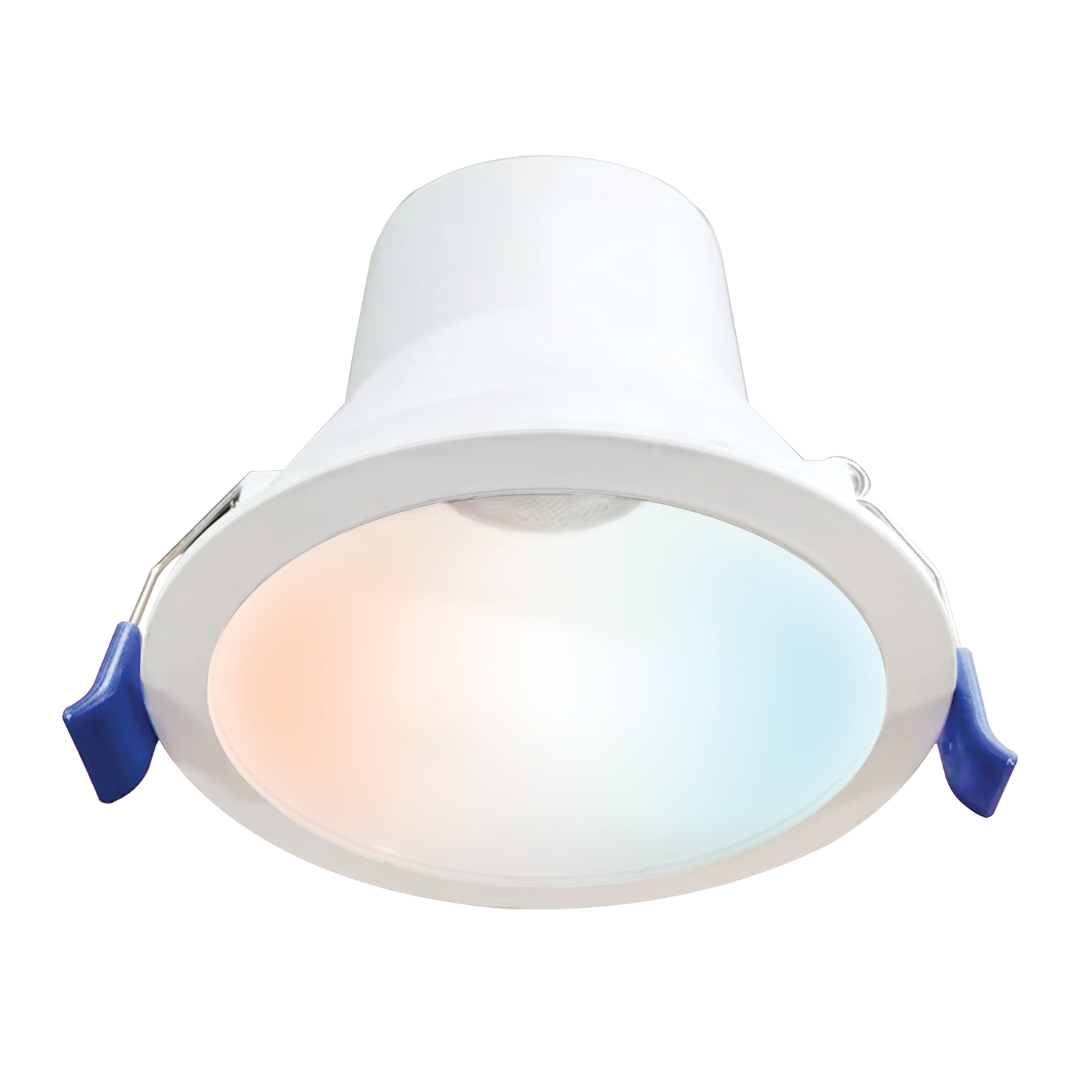
Coolum Plus RS Downlight #
| Wattage | 9W |
| Lumen output | Approx. 800 lm |
| Colour temperature | 3000K to 6500K (fully tunable) |
| CRI | >CRI 90 |
| Cut-out | 92mm |
| IP rating | IP44 |
| Profile | Deep recessed, low glare |
| Dimming | Flicker-free to 1%, soft start/stop |
| HCL mode | Automatic scheduling via PIXIE app. requires PIXIE Gateway and PIXIE PLUS App. |
| Driver | Remote driver, flex & plug (plug & play) |
| Required dimmer | SDD400RSBTAM (essential) |
The Coolum Plus RS delivers both at once. #
RippleShield flicker elimination and Human Centric Lighting in a single recessed fitting. It is the only mainstream Australian smart home downlight that does both. See the Human Centric Lighting section below for full detail on what HCL means for your clients.
RS only (fixed CCT): Unifit RS, Ecogem RS, and others #
Not every project needs colour tuning or HCL. For jobs where the client simply wants flicker-free dimming with a fixed colour temperature, there is a broad range of RS-designated SAL downlights available, including the Unifit RS and Ecogem RS families in multiple sizes and finishes.
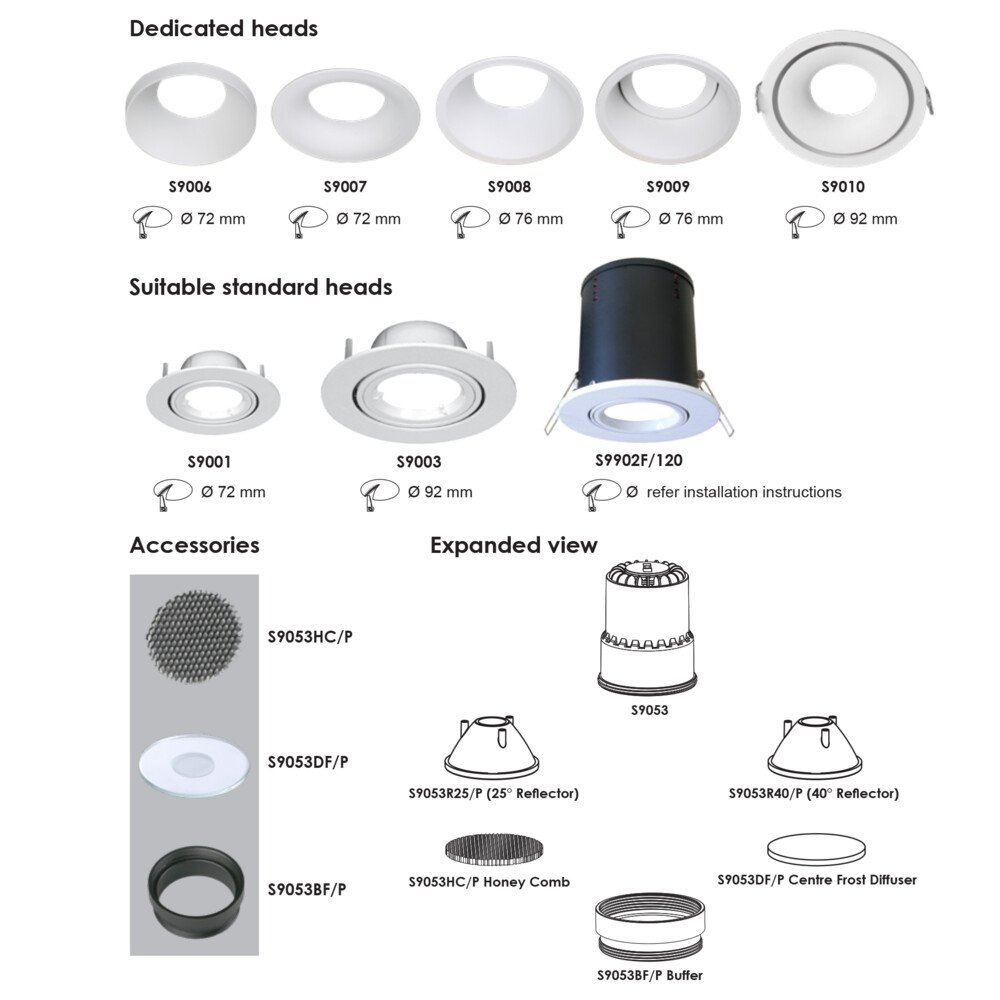
Unifit RS & Ecogem RS Fixed CCT options #
These models provide:
- ✓ Full RippleShield flicker immunity (paired with SDD400RSBTAM)
- ✓ Deep dimming to 1% with soft start/stop
- ✓ Fixed CCT options (3000K, 4000K, 5000K depending on model)
- ✓ Remote driver with flex and plug, plug-and-play on existing bases
View the full RS range: sal.net.au, search "ripple" →
Light that works with your body. #
Human Centric Lighting is a lighting design principle that goes beyond visibility. It accounts for how light affects mood, alertness, and the body's internal clock, the circadian rhythm. By automatically shifting colour temperature and brightness throughout the day to mirror natural daylight, HCL creates lighting that actively supports your clients' health and wellbeing.
This is not a feature reserved for high-end commercial or DALI2 systems. With PIXIE, it is available in a standard residential installation using standard 2-wire wiring and no specialist programmer.
The science: light and your body clock #
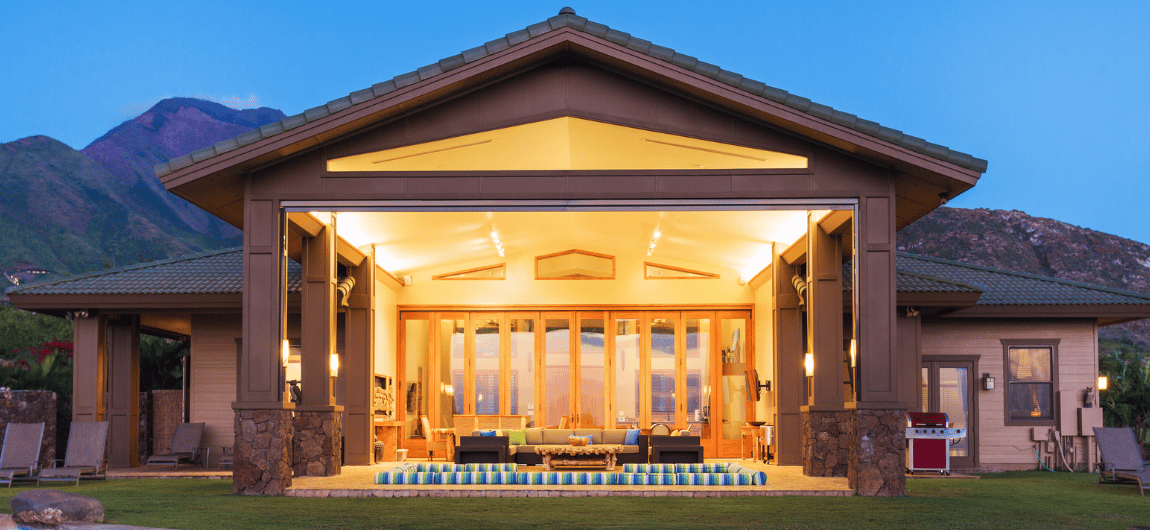
Natural daylight changes colour throughout the day. In the morning it is warm and orange, shifting to cool and blue-white at midday, then returning to warm amber tones through the evening. These changes are detected by the eyes and directly influence the production of melatonin, the hormone that regulates sleep and wakefulness.
When indoor lighting ignores these natural cues (staying at a flat, cool 4000K all evening, for example) it can suppress melatonin production at the wrong time and disrupt sleep. HCL corrects this by automating the colour shift indoors to match the outdoor cycle, so the body receives the right signals at the right time.
The HCL day cycle, by colour temperature. #
Once enabled in the PIXIE app, HCL mode manages colour-temperature transitions automatically based on time of day, every time the lights are turned on. No manual adjustment required. Clients can still override manually or adjust schedules via the PIXIE or PIXIE PLUS app.
HCL products #
PIXIE currently offers HCL capability across two product types.
Coolum Plus RS Downlight, S9068TW35WH/RS #
The only PIXIE recessed downlight with HCL. Colour tunable from 3000K to 6500K, >CRI 90, IP44, deep recessed low-glare profile. Requires the SDD400RSBTAM dimmer. See spec table above.
COB LED CCT Strip Kits Gen3, 2m and 5m #
COB (Chip-on-Board) LED strip kits with full Human Centric Lighting capability. Available in 2 metre and 5 metre lengths. Unlike the Coolum Plus RS downlight, these strip kits do not require the RS dimmer. HCL is managed directly by the PIXIE Master control module.
| Specification | Detail |
|---|---|
| Type | COB (Chip-on-Board), uniform, seamless, shadow-free output |
| Available lengths | 2 metre kit, 5 metre kit |
| CCT range | Colour tunable, warm white to cool white (full HCL range) |
| HCL | Full Human Centric Lighting via PIXIE app or automated schedule |
| Control | PIXIE Master module, no separate RS dimmer required |
| Smart home | Full PIXIE ecosystem, app, voice, scenes, schedules |
A project can use Coolum Plus RS downlights (via SDD400RSBTAM) and COB LED CCT Strip Kits (via PIXIE Master) in the same system. Both will run HCL in sync via the PIXIE app.
How to choose the right configuration. #
Use this matrix to match the right products to the job at hand.
| Goal | Products required | Notes |
|---|---|---|
| Flicker fix only (fixed CCT) | SDD400RSBTAM + any RS-designated SAL downlight (Unifit RS, Ecogem RS, etc.) | Best for budget-conscious jobs where colour tuning is not needed |
| Flicker fix + colour tuning (manual) | SDD400RSBTAM + Coolum Plus RS (S9068TW35WH/RS) | Client can adjust colour temp manually via app; HCL mode optional |
| Flicker fix + full HCL (automatic) | SDD400RSBTAM + Coolum Plus RS + HCL mode enabled in PIXIE app | Full biologically-tuned experience; automatically adjusts all day |
| HCL strip lighting (no flicker issue) | PIXIE Master + COB LED CCT Strip Kit Gen3 (2m or 5m) | No RS dimmer needed; ideal for cove, joinery, kitchen, bathroom features |
| Full HCL, downlights + strip | SDD400RSBTAM + Coolum Plus RS + PIXIE Master + COB Strip Kits | Both product types sync via the PIXIE app for a unified HCL experience |
| Partial flicker reduction (budget/retrofit) | flickerGUARD downlights + standard PIXIE dimmer | Approx 90% effective for most dimmer-light incompatibility flicker. Not guaranteed for ripple injection. See flickerGUARD section below. |
What about flickerGUARD? #
flickerGUARD is a separate SAL product range designed to reduce, but not necessarily eliminate, LED downlight flickering. Where RippleShield uses a matched dimmer-and-downlight system engineered for 100% guaranteed flicker immunity, flickerGUARD downlights are compatible with standard PIXIE dimmers, and other trailing edge phase dimmers, and address the most common dimmer-light incompatibility flicker in most situations.
flickerGUARD is approximately 80% effective for typical scenarios, and is a practical option when:
- → The flickering is caused by dimmer-light incompatibility rather than ripple injection
- → The client's property is not in a NSW or QLD ripple injection zone
- → Budget constraints make the full RS matched system impractical for the job
- → The client already has standard PIXIE dimmers installed and is unwilling to replace them
If your client's lights flicker at a predictable time every day (the signature of Zellweger ripple injection from the NSW or QLD grid) flickerGUARD alone is unlikely to be sufficient. For ripple injection or off-grid artefacts, the RippleShield matched system (SDD400RSBTAM + RS downlights) is the only guaranteed solution.
Why a matched system, not a workaround. #
Clients and specifiers sometimes ask why they should use the RippleShield matched system rather than other approaches. Here is an honest comparison.
Line filters #
Ripple control filters, such as those from Gayrad and the Thor DRM750 / DRM1050, can be installed on individual circuits or at the switchboard to reduce the ripple tone before it reaches the lights. They are mitigation tools, not guaranteed solutions.
A Gayrad filter, for example, reduces the ripple signal to approximately 1/30th of its original strength, which is a significant reduction, but not a complete block. Whether that remaining signal is sufficient to cause visible flicker depends on the sensitivity of the specific LED and dimmer combination at the property. Some jobs will be resolved. Others will not.
Line filters also do not improve dimming quality, do not address off-grid or solar inverter artefacts, and add cost and installation complexity. They are worth considering as an interim or complementary measure, but should not be presented to clients as a guaranteed fix.
Replacing the dimmer only #
Replacing the dimmer alone, without changing the downlights to RS-designated models, will not eliminate ripple injection flickering. The dimmer and downlight must both be RS-compatible for the system to work.
DALI2 with DT8 drivers #
DALI2 with colour-tunable DT8 drivers is the other mainstream approach to HCL and can also address flicker, but it requires dedicated DALI data bus cabling, a DALI controller, and a specialist programmer for commissioning. It is significantly more expensive and complex than the PIXIE approach.
The only mainstream Australian smart home system that combines RippleShield and HCL with standard 2-wire wiring and no programmer. #
No DALI bus. No specialist commissioning. No monthly fees. Your existing skills, your existing tools, with a result that matches or exceeds what complex systems deliver for residential and light commercial applications.
Installation notes for electricians. #
Wiring #
The SDD400RSBTAM installs as a standard trailing-edge 2-wire dimmer. No neutral wire is required. It is compatible with standard Australian single-gang and multi-gang wall boxes. Combinations of RS and non-RS PIXIE dimmers on the same system are fully supported, you do not need to convert an entire installation to RS if only some circuits have flickering issues.
All lights on the circuit must be replaced #
This is the most commonly missed installation requirement. When fitting the SDD400RSBTAM to a circuit, all downlights on that circuit must be RS-designated models, including any that are not currently flickering. A single non-RS lamp on the circuit compromises the system and can cause the remaining RS lamps to flicker. Budget accordingly when quoting retrofit jobs.
Downlight installation #
All RS-designated downlights use remote drivers with a flex and plug. Where plug bases are already installed, this is a plug-and-play swap. For new installations, install the plug base first, then connect the driver. No in-ceiling wiring changes are required for the driver swap.
PIXIE smart home: required or optional? #
The RippleShield flicker fix works without any PIXIE smart home configuration. The SDD400RSBTAM operates as a standard push-button dimmer out of the box, single press to toggle on/off, press and hold to dim. PIXIE smart home features (app control, scheduling, scenes, voice control) are optional and can be added at any time. The PIXIE Gateway is required for remote access and voice control but is not needed for local operation.
HCL mode, however, does require the PIXIE app to enable and configure the automated schedule.
On-site commissioning support is available for first PIXIE installations where arranged with your local SAL Sales Representative. Remote tech support is available Monday to Friday, 10am to 5pm on 1800 256 843. The PIXIE Facebook Technical Support Group is also an active resource for real-world installation questions.
FAQ #
Will RippleShield work on my off-grid solar property? ▾
Yes. The RippleShield matched system (SDD400RSBTAM + RS downlights) eliminates a range of electrical artefacts introduced by solar inverters and off-grid power systems, not just grid ripple injection. It is a recommended specification for any solar or off-grid property experiencing LED dimmer flickering.
My client is not in NSW or QLD: do they still benefit from RippleShield? ▾
The Zellweger ripple control system is currently used by network operators in NSW and QLD. Clients in other states are not affected by ripple injection but can still benefit from the RippleShield matched system for its dimming quality (1% smooth dimming, soft start/stop) and for off-grid or solar applications.
Can I mix RS and non-RS dimmers on the same PIXIE system? ▾
Yes, at the system level, RS dimmers and standard PIXIE dimmers operate side-by-side on the same Bluetooth mesh network. However, at the circuit level, you cannot mix RS and non-RS downlights on the same dimmer. Only circuits where both the dimmer and all downlights are RS-designated will have RippleShield protection.
Will a ripple filter fix my client's flickering? ▾
Possibly, but not reliably. Filters such as the Gayrad or Thor DRM models reduce the ripple signal significantly (Gayrad reduces it to roughly 1/30th of its original level) but do not eliminate it entirely. Whether the reduced signal still causes visible flicker depends on the specific LED and dimmer combination. For a guaranteed result, the RippleShield matched system is the right specification.
Does the SDD400RSBTAM replace the SDD400SFI? Is it the same product? ▾
Yes. The SDD400RSBTAM is the current product name for what was previously the SDD400SFI. The technology is identical. If you have SFI-labelled stock or SFI-labelled downlights already installed in the field, they are fully compatible with the RSBTAM dimmer and vice versa.
What is the maximum load for the SDD400RSBTAM? ▾
The SDD400RSBTAM supports a maximum of 150VA total load, a maximum of 15 lights per dimmer, and requires a minimum load of 2W per light. The 9W Coolum Plus RS sits well within these parameters: a 15-light circuit would draw 135W, within the 150VA limit.
Does HCL require the PIXIE Gateway? ▾
No. HCL scheduling is configured via the PIXIE app over Bluetooth and does not require the Gateway for local operation. The Gateway is required if the client wants remote access (controlling lights when away from home) or voice control via Google Home, Amazon Alexa, or Apple HomeKit.
Can the client turn HCL off if they don't like it? ▾
Yes. HCL mode is a setting within the PIXIE app and can be disabled at any time, reverting the light to a fixed colour temperature of the client's choice. They can also manually override the colour temperature at any point without disabling HCL mode permanently.
The Coolum Plus RS: does it need a special wall plate? ▾
No. The Coolum Plus RS downlight uses a remote driver with flex and plug. The driver sits in the ceiling cavity; only the SDD400RSBTAM dimmer is at the wall, and it fits standard Australian wall plates.
Where can I order RS products? ▾
All RippleShield and HCL products are available through your electrical wholesaler. For the full RS range, see sal.net.au, search "ripple". For the Coolum Plus RS and LED Strip Kits, visit pixiepartners.com.au.
Key part numbers at a glance. #
| Product | Part Number | RippleShield | HCL |
|---|---|---|---|
| RippleShield Dimmer | SDD400RSBTAM | ✓ (core component) | No |
| Coolum Plus RS Downlight | S9068TW35WH/RS | ✓ | ✓ |
| COB LED CCT Strip Kit 2m | COB LED CCT Strip Kit Gen3, 2m | No | ✓ |
| COB LED CCT Strip Kit 5m | COB LED CCT Strip Kit Gen3, 5m | No | ✓ |
| Unifit RS (example) | S9053WP/RS (and variants) | ✓ | No |
| Ecogem RS (example) | S9041TC/RS (and variants) | ✓ | No |
The RS designation is available across a growing number of SAL downlight families. For the complete current list, visit sal.net.au and search for "ripple", or contact your SAL Sales Representative.
Help, learning, and the rest of the PIXIE knowledge base. #
Everything you need to specify, install, and support a RippleShield or HCL job, in one place.