

PIXIE Push Button Smart Timer Switch STS600BTAM

Points Received Following Purchase: 200 points
Points Needed to Claim Product: 3000 points
NOTE ON SCHEDULES: When using PIXIE Master device like the smart switch, dimmer, load controllers without a PIXIE gateway it is of course possible to set 24 hours 7 day schedules.
However, in the event of a power outage, the schedules will NOT operate once power is returned UNTIL the SAL PIXIE App is opened and it reconnects to the mesh network, automatically on opening.
With a PIXIE Gateway and PIXIE PLUS App however this does not happen and schedules continue to operate.
Timer can be activated via mech push button, as part of a scene, as part of group and from voice commands ( SIRI, Google Home, Amazon - when PIXIE Gateway installed)
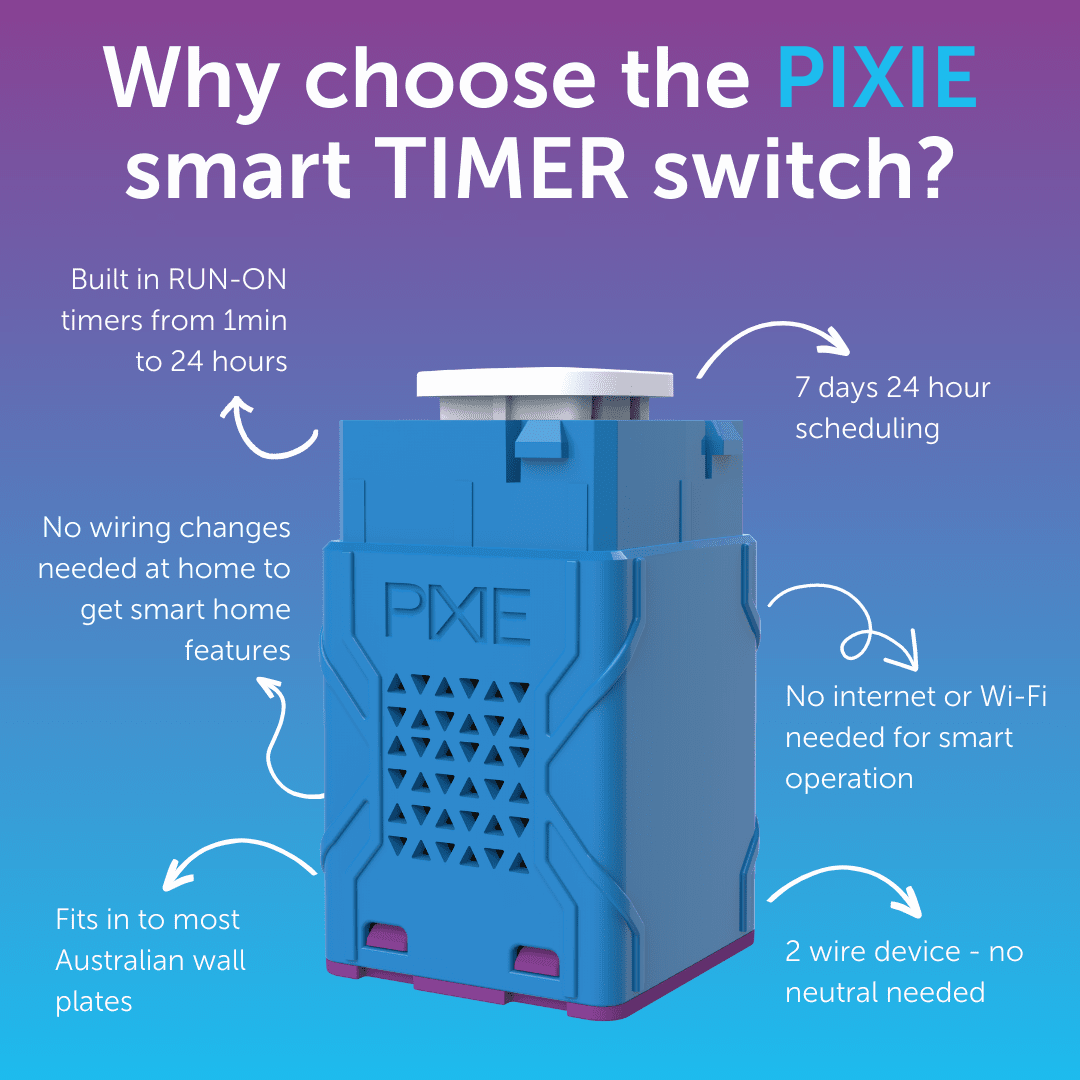
- Ideal for Bathroom Exhaust fan run-on timers, Walk-in-Robes, Heated Towel Rails etc.
- Works with SAL Pixie and PIXIE PLUS free Apps for iOS and Android
- Ideal for retrofitting into existing wall plates
- 2 wire push button smart timer switch
- Bluetooth wireless control enabled.
- No WiFi needed for in-home control
Setup features
- Ideal for extractor fans, lights, towel rails, bathroom and other switchable loads
- Push-button pairing with other Pixie devices - no App needed.
Same job on the wall. A smarter switch behind it.
How the PIXIE Push Button Smart Timer Switch compares with a conventional Clipsal 2031VETR3 electronic time delay switch for exhaust fans, heated towel rails and walk-in-robes.
| Feature |
Recommended
PIXIE Push Button Smart Timer Switch
STS600BTAM
|
Conventional
Electronic Time Delay Switch
Clipsal 2031VETR3
|
|---|---|---|
| Typical online price | PIXIE STS600BTAMAround $115 to $130 Less than half the cost |
Clipsal 2031VETR3Around $230 to $390 RRP $388.40 |
| Wiring | PIXIE STS600BTAM2-wire, no neutral required Fits more homes and older switch boxes |
Clipsal 2031VETR33-wire, neutral required at the switch |
| Form factor | PIXIE STS600BTAMSingle mechanism Fits most standard 1 to 6 gang Australian wall plates |
Clipsal 2031VETR3Complete single-gang unit with its own fixed plate |
| Setting the timer | PIXIE STS600BTAMSet in the PIXIE app or from the push button. 1 minute to 24 hours | Clipsal 2031VETR3Set on the device with internal DIP switch combinations |
| Smart control | PIXIE STS600BTAMSchedules, scenes, groups and voice control (Gateway) over Bluetooth Mesh | Clipsal 2031VETR3Time delay only, no app or smart control |
| Wireless triggers | PIXIE STS600BTAMWireless PIR and multiway triggers over Bluetooth Mesh, no extra cabling | Clipsal 2031VETR3Hard-wired remote input only |
| Suited to | PIXIE STS600BTAMExhaust fans, heated towel rails, walk-in-robes and switched loads to 600W | Clipsal 2031VETR3General resistive loads to 10A |
Prices are indicative online trade prices and vary by wholesaler and retailer. Comparison prepared July 2026. Always confirm current specifications against each manufacturer's Quick Start Guide and installation manual before specifying or installing.
Push button operation
STS600BTAM| 1 click | Start or stop the timer countdown |
| Long press (2 seconds) | Activate override-on mode, the load stays on until switched off |
| 2 clicks (in timer mode) | Restart the timer countdown from the beginning |
- POWERFACTOR: < 0.7
- INRUSH: < 24A